


* Today’s newsletter is brought to you by n8n (a paid partnership). The setup and results below are our own.
Hi friends,
This week’s issue is a hands-on tutorial. We tried Nod, a new personal agent from n8n Labs, and connected it to Glasp’s MCP to see what it could do with our highlights and YouTube summaries. Here is exactly what we did, so you can try it too.
Before an interview or a meeting, we usually read a few of the person’s articles and watch their talks on YouTube, summarizing them with Glasp as we go. The hard part is pulling it all together the night before.
This week we handed that part to Nod, a research preview from n8n Labs. Nod is a personal agent with its own computer and browser, so it does the errand itself, not just tells you how. It is free and open source; you pay your AI provider for use. Connected to Glasp’s MCP, it can read your highlights and AI summaries and turn them into a one-page prep.
What you need
Nod, installed on your Mac or Windows PC: nod.n8n.io
An AI provider: your ChatGPT plan, or an API key from a supported provider. With an API key, open Usage and set a monthly limit first. Every task shows what it cost.
A Glasp account, with the highlights and YouTube summaries you want Nod to use.
Step 1: Connect Glasp to Nod
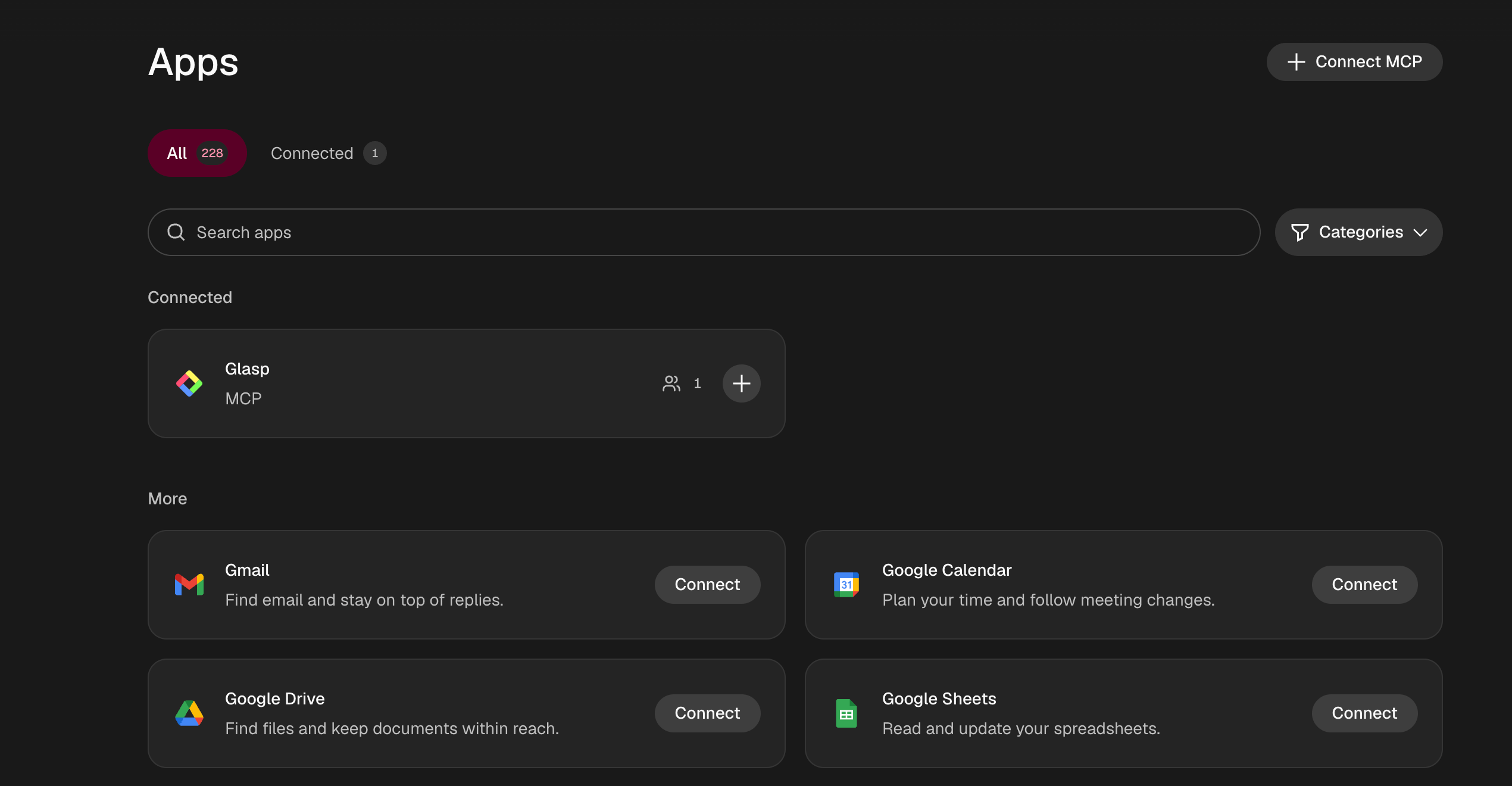
In Nod, open Apps and select Connect MCP.
Name: Glasp
Server URL: https://glasp.co/api/mcp
Authentication: Sign in through your browser
Glasp then shows what Nod is asking for. The connector is read-only apart from one permission you approve when connecting: saving a page to your Glasp bookmarks, which are public on your profile. It can never edit or delete anything.
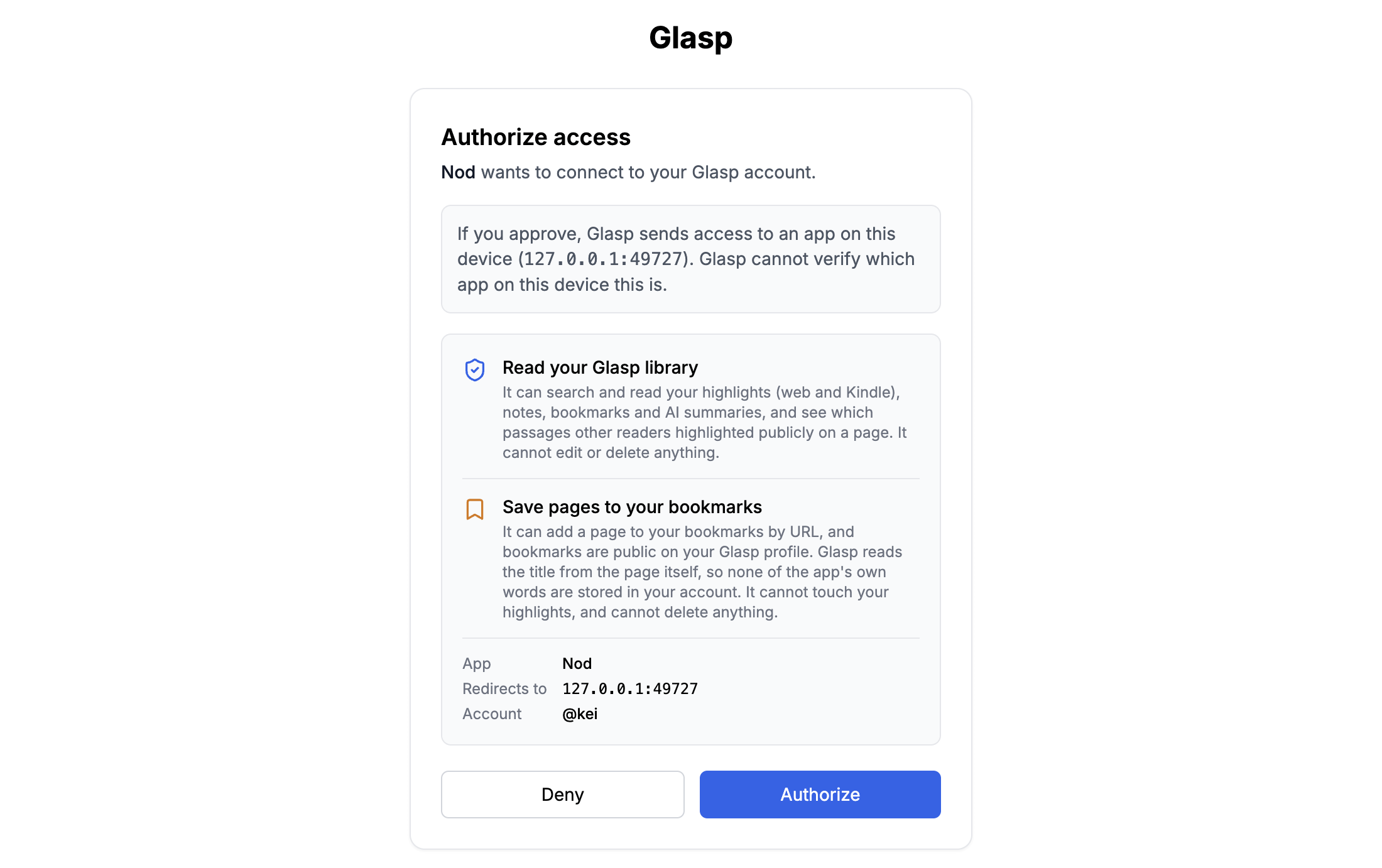
Select Authorize, and Glasp shows up under Connected in Nod’s Apps.
Step 2: Try it on your week
Our first request was simple:
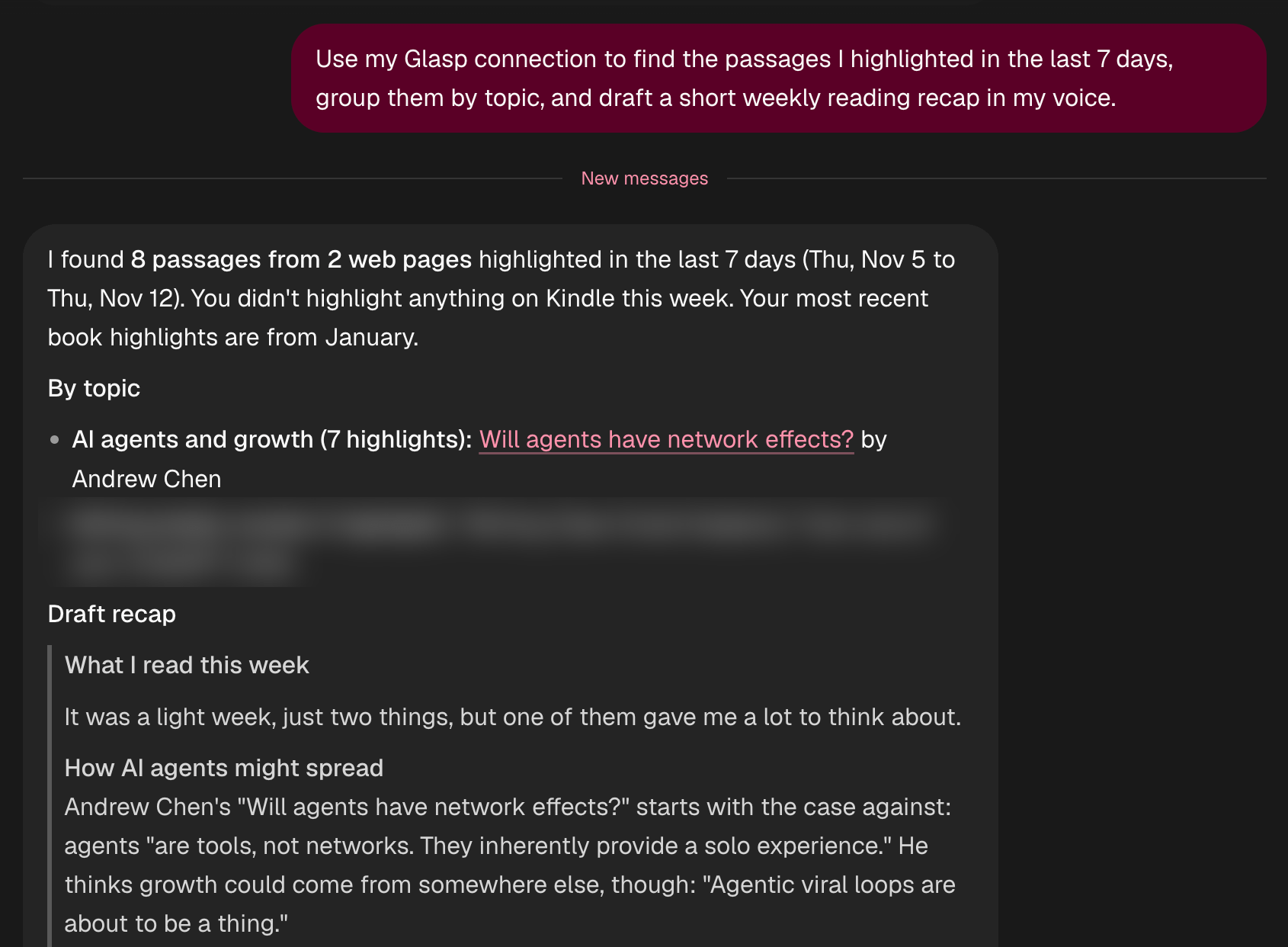
Use my Glasp connection to find the passages I highlighted in the last 7 days, group them by topic, and draft a short weekly reading recap in my voice.
Nod pulled the highlights, grouped them by topic and drafted the recap. Two details we liked: it said it had guessed at the voice because it had never seen our writing, and asked us to edit its closing thoughts; and it left a link out of the recap because it pointed to a private chat.
When we asked it to test every Glasp tool, it tried them all except saving a bookmark. Bookmarks are public on a Glasp profile, so it did not add one without asking.
Step 3: Let Nod find the videos, then summarize them in Glasp
As a test, we prepared for an imaginary interview with Andrej Karpathy. First we asked Nod to find the videos:
Search YouTube for videos where Andrej Karpathy speaks. Give me two lists with title, channel, date, length and link: (1) the most recent talks and interviews, newest first; (2) long conversations about his life and career. Skip clips and reuploads.
Nod came back with both lists, and a third section we had not asked for: what it skipped and why. Clips cut from full episodes, reuploads of the same keynote, and a channel whose “conversations” use AI-cloned voices were all left out.
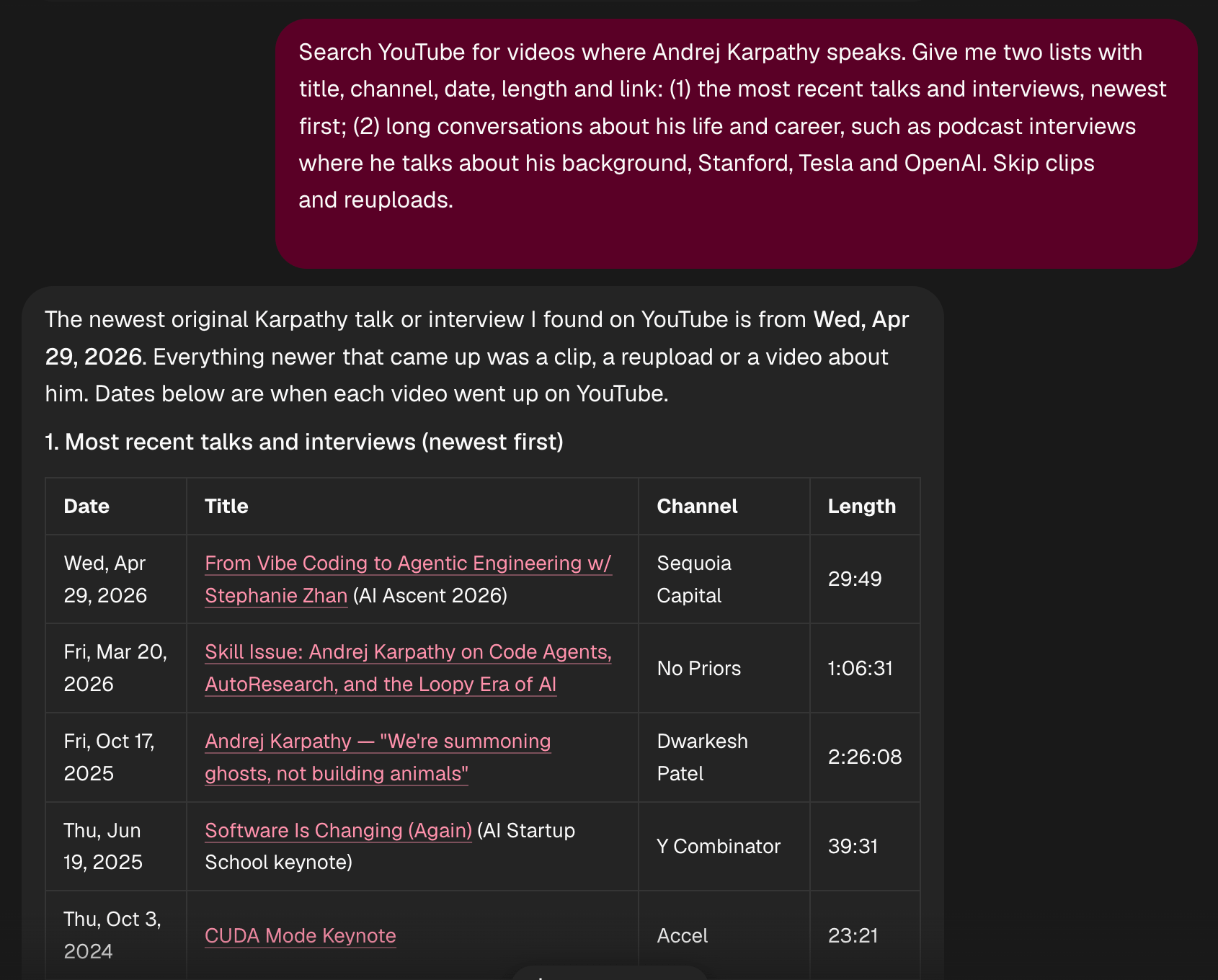
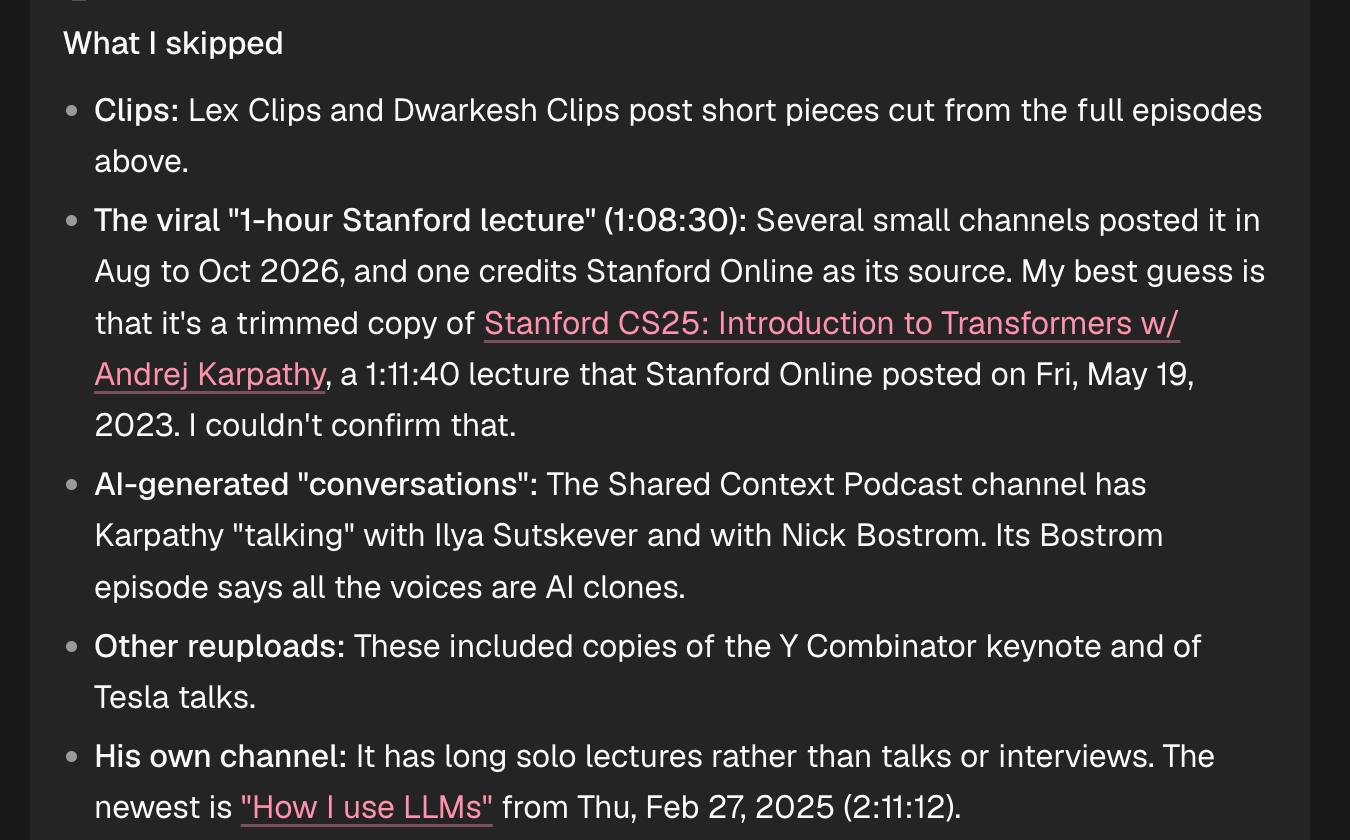
We opened four of the videos on YouTube and created Glasp summaries. Highlight the lines you want to come back to. Nod reads both.
Step 4: Ask Nod for the one-page prep
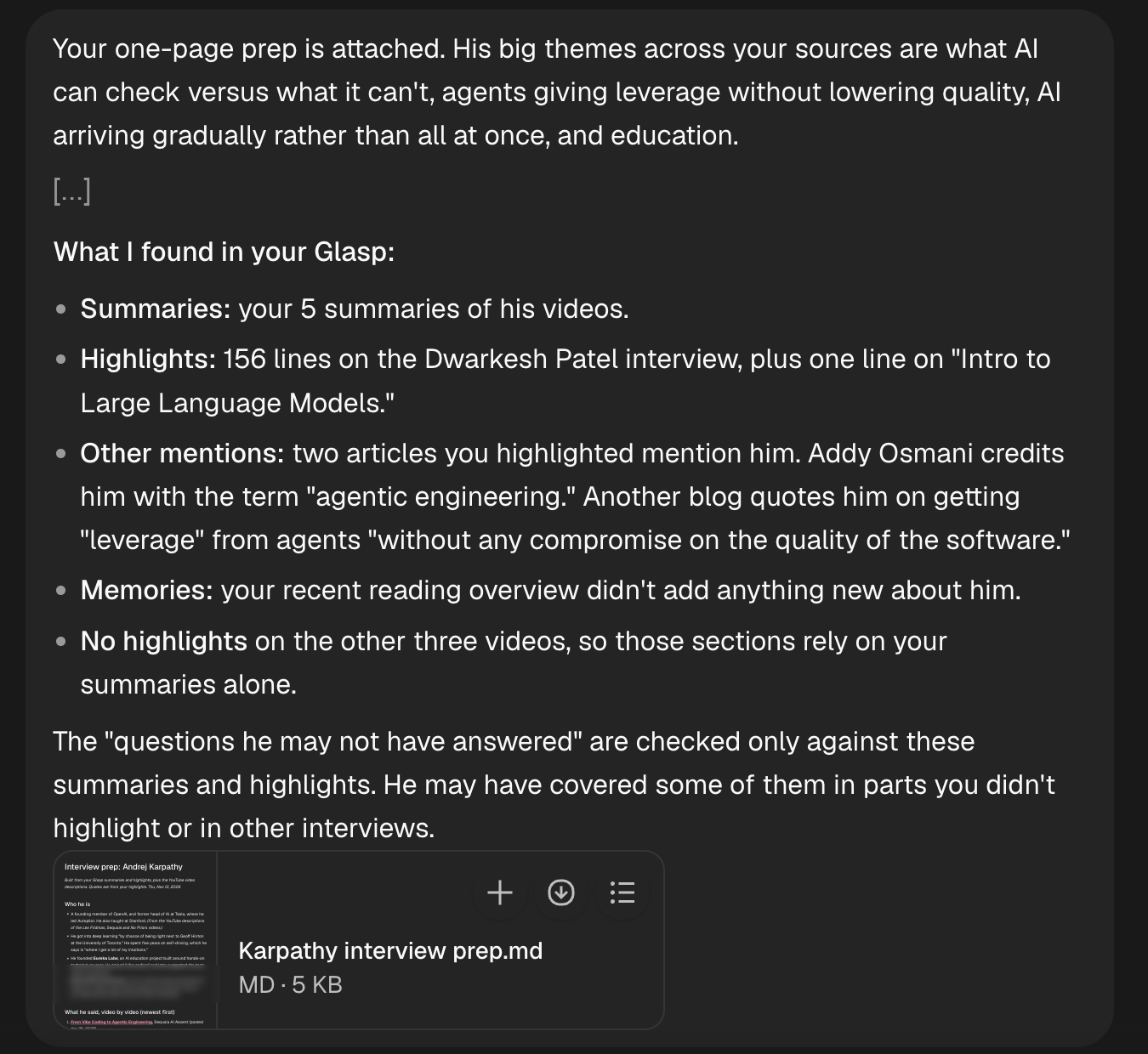
I have an interview with Andrej Karpathy soon. Use my Glasp connection to find my AI summaries of videos featuring Andrej Karpathy, plus any highlights and memories about him or his company. Put together a one-page prep: who he is, what he said in each video with links, the key points, and five questions I could ask that he hasn’t already answered.
Nod found five summaries of his videos in our Glasp library: the four we had just made, and an older one whose title does not even mention his name. It also found 156 highlighted lines from the Dwarkesh Patel interview, and two articles we had highlighted that mention him.
From those, it wrote a one-page prep as a Markdown file: who he is, what he said in each video with links, and the themes that run across them, such as what AI can check and what it cannot, how agents give leverage without lowering quality, AI arriving gradually, and education. Then five questions.
It was also clear about where its answer stopped. The “questions he hasn’t already answered” were checked only against these summaries and highlights, and it flagged one question as resting on something it had seen outside our Glasp library and could not confirm.
Step 5: Make it repeat
You can ask Nod to run a job on a schedule, for example a reading recap every Friday afternoon. Scheduled jobs run while your computer is on, or on your own server.
What it does not do yet
Glasp’s MCP does not share your AI chat conversations yet, so the prep uses summaries, highlights and memories.
Nod does not work with files on your computer in this release.
The permission check is a model’s judgement and can be wrong, which is why it asks before it sends, pays, posts or deletes anything you didn’t ask for.
If you try it, reply and tell us how it went. We read every reply.
Kei & Kazuki
Would you like to take Glasp on the go?
With the Glasp mobile app, you can highlight and organize your favorite content anytime, anywhere. Stay productive on the move and never miss an insightful quote.
Partner With Glasp
We currently offer newsletter sponsorships. If you have a product, event, or service you’d like to share with our community of learning enthusiasts, sponsor an edition of our newsletter to reach engaged readers.
If you try this with Nod and Glasp, tell us who you prepped for and how the one-page prep turned out. We read every comment.
To connect Glasp to Nod or another AI tool, start here:
https://glasp.co/mcp