


🌐 Read this in your language: 日本語 · Español · Français · Português (BR) · Tiếng Việt · 한국어
We’re excited to announce a new tutorial on Glasp: How to Connect Glasp to Claude, ChatGPT, and Claude Code (MCP Connector).
Have you ever wished your AI assistant knew what you have been reading? With Glasp’s MCP Connector, you can connect your Glasp account to any MCP-compatible AI tool, including Claude, ChatGPT, Claude Code, and clients built on the OpenAI API, and ask them about everything you have read, highlighted, and saved.
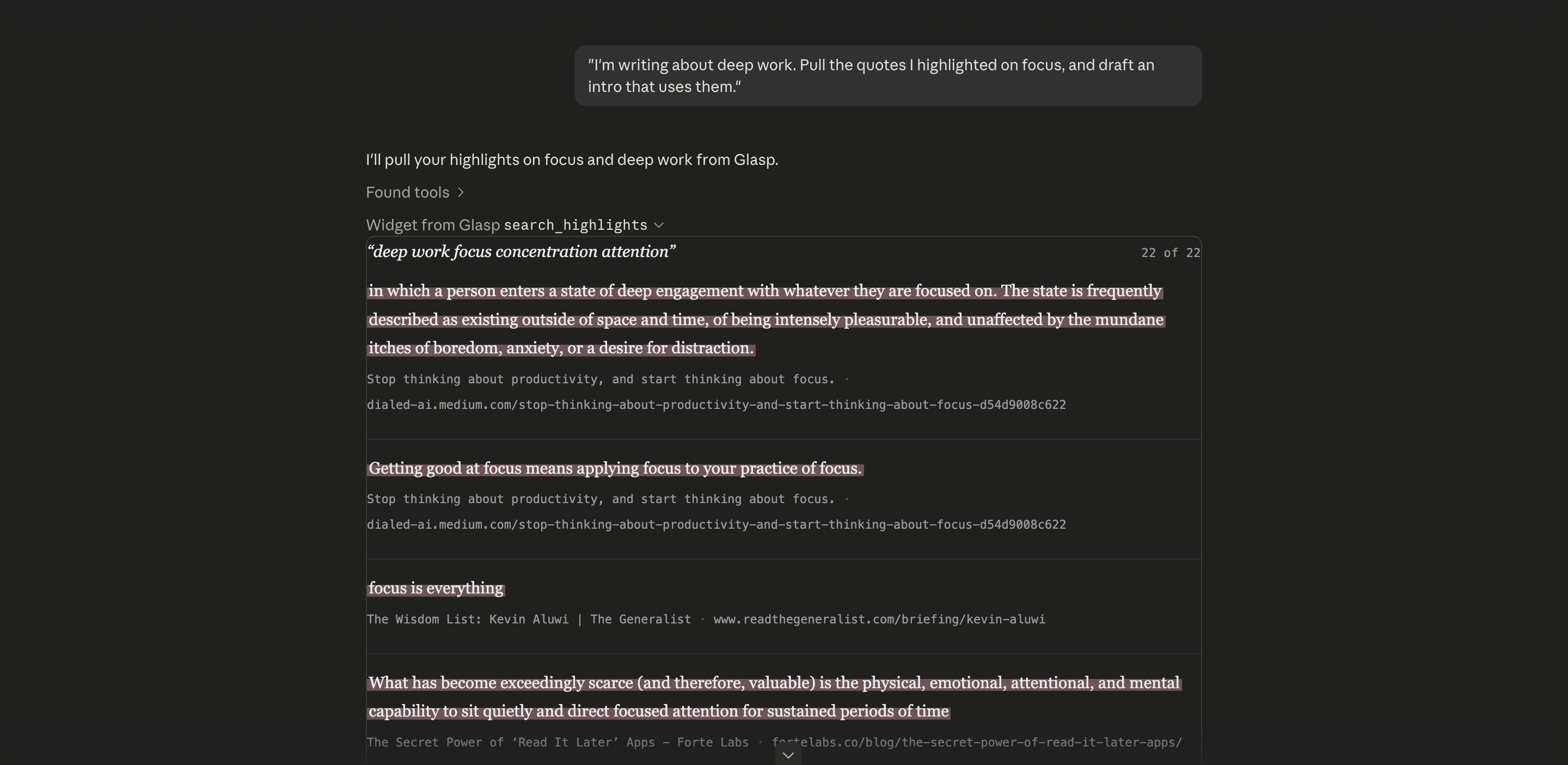
Picture this: instead of digging through old bookmarks, you ask Claude “what did I save about deep work?” and get your own highlighted passages back, with their sources, right inside the chat you already use.
The connector is read-only and private to you. It can read your own highlights and memories, and nothing else. It can never post, edit, or delete anything.
🔌 How to connect
Before you start. Go to the Settings page on Glasp and click MCP Connector in the left sidebar. You can also learn more on the MCP Connector page.
The MCP server URL you will use in every client is:
https://glasp.co/api/mcpThe full step-by-step guide covers Claude, ChatGPT, Claude Code, and any MCP client, with screenshots:
💡 What you can do once connected
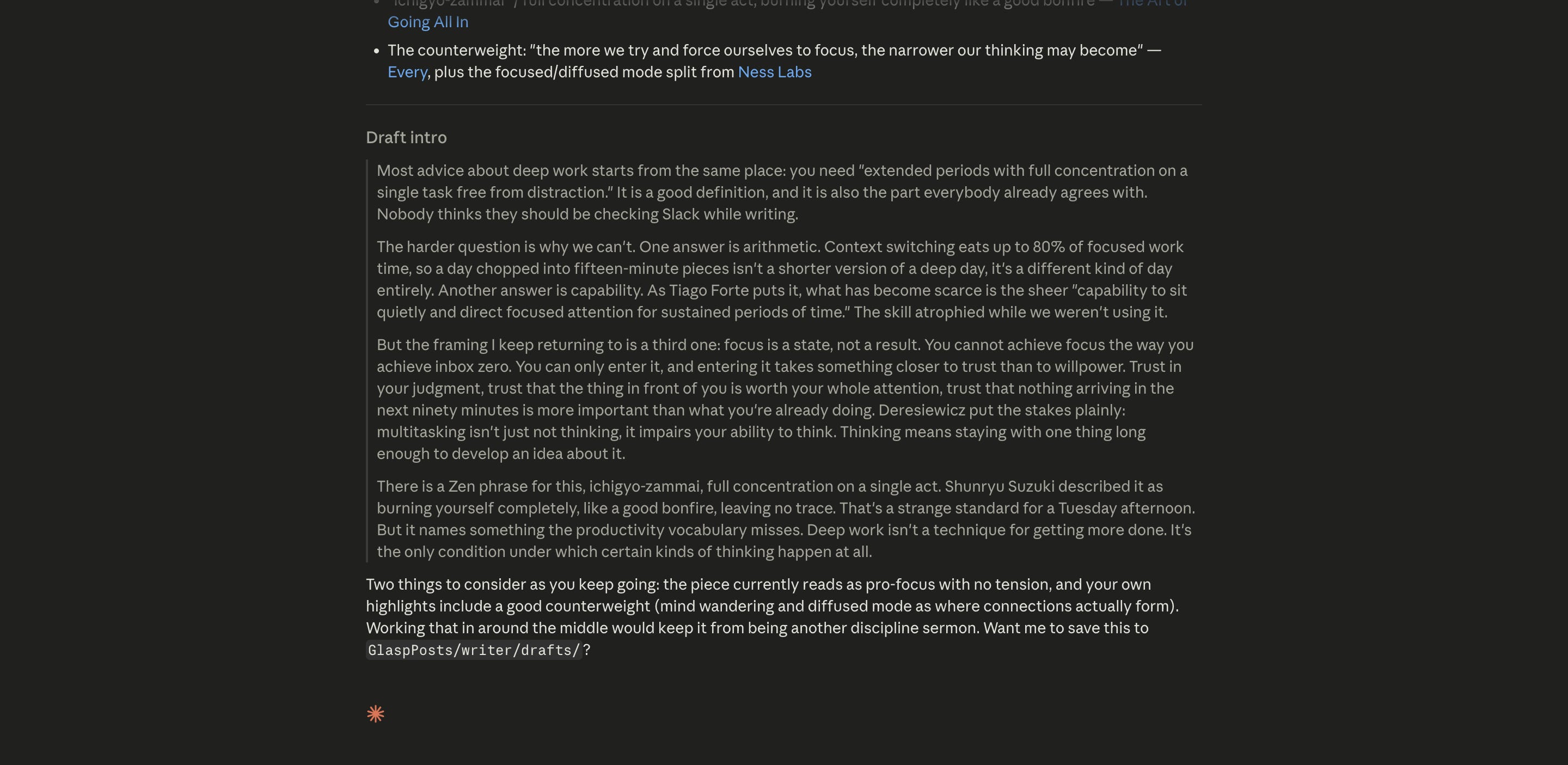
Write with your own sources, not generic AI text. Ask your assistant to pull the passages you already highlighted and weave them in with citations.
“I’m writing about deep work. Pull the quotes I highlighted on focus, and draft an intro that uses them.”
Resurface what you forgot you saved. It searches across every article, PDF, YouTube video, and Kindle book you saved.
“What have I saved about pricing strategy, and where was each from?”
Get a briefing before a meeting or decision. Turn scattered highlights into a one-paragraph brief.
“Summarize everything I’ve highlighted about a competitor or topic into five bullet points.”
Review what you are learning. Turn your reading into study material.
“Quiz me on my recent highlights about AI agents.”
Stay in your coding flow (Claude Code). Ask about something you saved without leaving the terminal.
“What did I highlight about rate limiting in that API article?”
📖 Connecting takes about a minute
For Claude and ChatGPT, it’s OAuth: no token to copy, just sign in with Glasp and approve read-only access. For Claude Code and other MCP clients, it’s a single command with an access token. The full step-by-step guide covers every client, with screenshots:
With the MCP Connector, your highlights and notes stop being a static archive and become a knowledge base your AI assistant can actually use. The more you highlight, the more your AI knows about what you have learned.
See you next time,
Glasp team
–
Partner With Glasp
We currently offer newsletter sponsorships. If you have a product, event, or service you’d like to share with our community of learning enthusiasts, sponsor an edition of our newsletter to reach engaged readers.
Connecting takes about a minute: Claude and ChatGPT are just OAuth, no token to copy, and Claude Code is a single command.
My favorite first prompt after connecting: "What have I highlighted about [topic] in the last month?" It feels like your AI suddenly remembers everything you've read. Which tool did you connect first, Claude, ChatGPT, or Claude Code? I'll go first: Claude Code, so I can pull my highlights without leaving the terminal.
Stuck on any step? Reply here and I'll walk you through it.
No Substack account? Join us on Reddit instead: https://www.reddit.com/r/glasp/
This is such an impressive feature and guide. I love the idea of turning my Glasp highlights into a personal knowledge base that AI can actually use. Being able to ask Claude or ChatGPT what I have saved and get my own quotes and sources back feels like the future of reading and note taking.