


Hi friends,
If you save things on the web, there is a good chance you use Raindrop.io. It calls itself an “all-in-one bookmark manager”, and it is: collections and tags for everything you keep, highlights on the pages you save, full-text search across them, and a web archive of the pages themselves. It runs as an extension for Chrome, Firefox, Safari and Edge, and as an app on Windows, Mac, iPad, iPhone and Android. You can start for free: “Unlimited bookmarks, collections, and devices. Free to use indefinitely.”
This issue is about Raindrop, and about one thing you can now do with it: bring your Raindrop highlights into Glasp. Raindrop now lists Glasp among its official integrations.
What comes over
Your highlights, the notes on them, their colors and their tags. Bookmarks without highlights stay in Raindrop. Glasp only reads your Raindrop data, and nothing is written back to your Raindrop account.
Connect it once
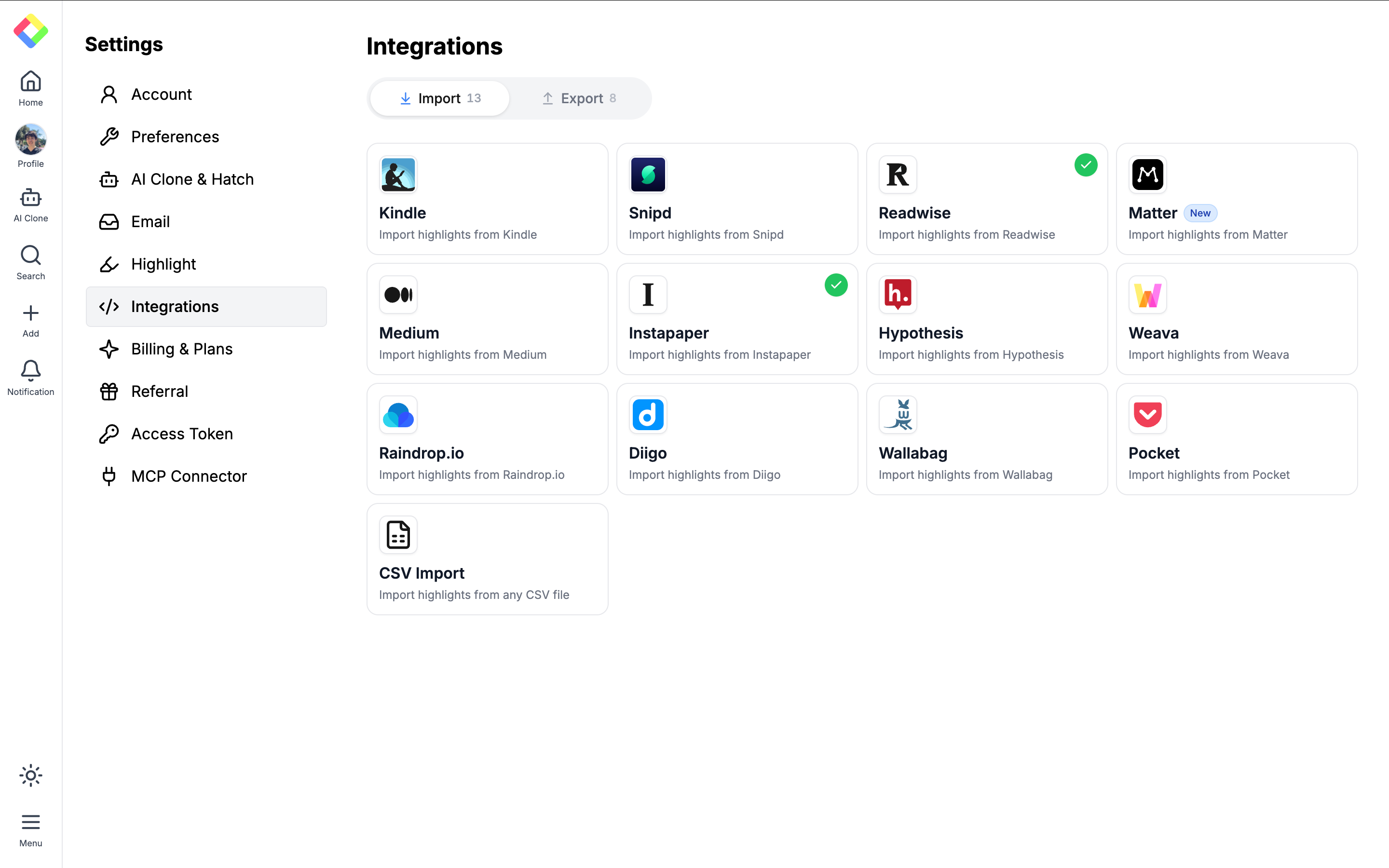
1. In Glasp, open Settings, then Integrations, and click Sync Now on the Raindrop.io card.
2. Click Connect Raindrop.io. You go to Raindrop.io to allow Glasp to read your account, then come back to Glasp.
3. Click Sync Now. From then on, new highlights sync automatically once a day. To sync right away, click Sync Now again.
On your phone, the same import is in the Glasp app for iPhone and Android under Add, then Import, then Raindrop.io.
Or move a file instead
If you would rather not connect your account, export a CSV file from Raindrop.io, then upload it in Glasp under Settings, Integrations, the Raindrop.io card, “Or import from a CSV export file”.
Where to go next
The step-by-step guide, with screenshots:
How to import highlights from Raindrop.io into Glasp
And if you are new to Raindrop, start here:
Thank you to Rustem and the Raindrop.io team for listing Glasp, and for keeping their API open so tools like this can exist.
If you try it, reply and tell us how it went. We read every reply.
Kei & Kazuki
Would you like to take Glasp on the go?
With the Glasp mobile app, you can highlight and organize your favorite content anytime, anywhere. Stay productive on the move and never miss an insightful quote.
Partner With Glasp
We currently offer newsletter sponsorships. If you have a product, event, or service you’d like to share with our community of learning enthusiasts, sponsor an edition of our newsletter to reach engaged readers.
Thanks for reading! If you want the full walkthrough with screenshots, here is the step-by-step guide:
How to import highlights from Raindrop.io into Glasp
https://glasp.co/posts/how-to-import-highlights-from-raindrop-into-glasp
If you try it, tell us here how it went, or what you would like to see next.
This is a really useful integration! Bringing Raindrop.io highlights directly into Glasp makes the knowledge management and learning workflow much more seamless. I especially like that highlights, notes, colors, and tags are preserved, while bookmarks without highlights remain untouched in Raindrop. The automatic daily sync is a great touch, too, since it reduces the need for manual work. Having the CSV import option is also thoughtful for users who prefer not to connect their accounts. This is a great step toward building a more connected personal knowledge management ecosystem. Looking forward to trying it out!