


Glasp’s note: At Glasp, we value the close personal relationships we’ve built with thinkers, creators, and doers who fuel curiosity and growth. This week, we spotlight Bobby Powers —a lifelong learner passionate about leadership development and continuous improvement. With more than a decade of experience leading teams and developing learning and development at startups, Bobby understands the transformative power of curiosity and mentorship. You might remember him from his Glasp Talk appearance, where he shared insights on leadership and personal growth, inspiring thousands. We’re honored to continue learning from Bobby and are thrilled to share his thoughtful reflections with our community.
If you want to reread or highlight this newsletter, save it to Glasp.
Hi, I’m Bobby Powers! I run the Leader & Learner publication, where I share two posts per week to help you become a more curious leader and learner.
As an avid reader, I love using Glasp to save highlights and takeaways from what I learn online. But I’m also a fan of physical books and notes, so I’ve spent years refining how to write better handwritten notes in my journal, work notes, etc.
These five tips have saved me time, improved the readability of my notes, and—perhaps most importantly—made it easier to find relevant notes later.
1. Leave space at the start of every notebook for an index
For years, I found it nearly impossible to find critical notes later. I didn’t have any system for clearly indicating which ones were important and what I could find where.
Thankfully, that problem nearly disappeared when I began using an index.
I now reserve the first 2–4 pages of each notebook for creating an index. In that section, I jot down the relevant page number(s) of important notes, longer-term action items, and anything else I think I may need to reference later.
Here’s a quick peek at the index of one of my past journals.
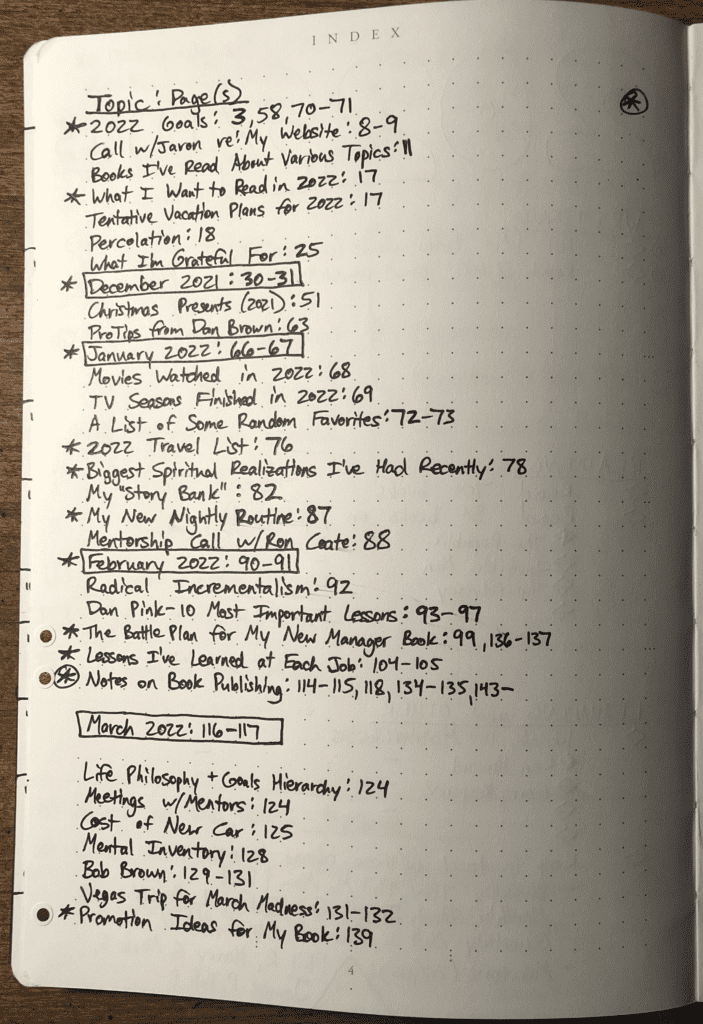
Having an index like this makes it WAY easier to find important notes later. I’ve also found that it’s surprisingly easy to predict which notes I’ll want to reference later, so those are the ones I make sure to list in the index.
Note: I use a note-taking system called Bullet Journaling, so you’ll notice my note-taking screenshots in this article may look a bit different than your notes. But regardless of what system you use, you can leverage these same tips.
2. Create a distinct symbol to designate action items
Some of the most important notes you’ll ever write are action items you need to complete in your work or personal life—such as completing a presentation, following up with a big client, or scheduling a doctor’s appointment.
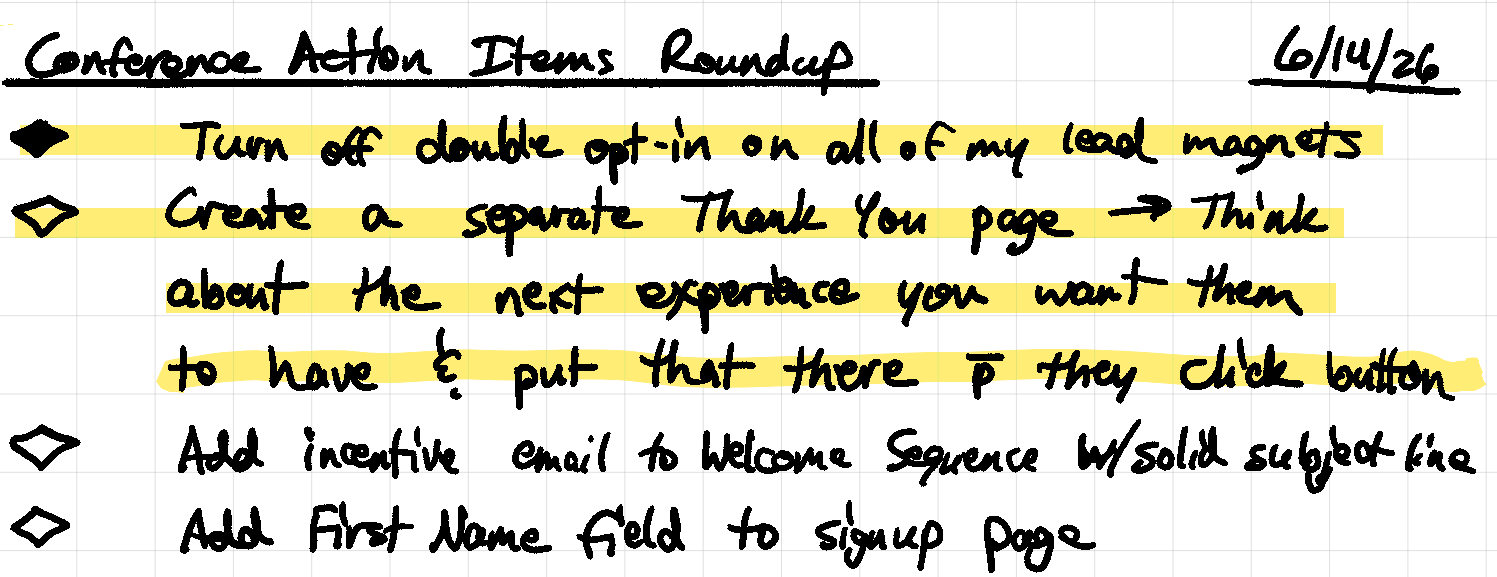
Because these notes are so critical, you’ll want a way to quickly find them. The best way to do that is to create a custom symbol that you only use for action items and to-dos. The symbol you choose doesn’t matter. The important thing is that it’s easily identifiable as you scan through your notes.
Many people use checkboxes for this purpose, but use whatever works best for you. For example, I draw diamonds to denote action items, then color in the diamond once I complete the task, which provides a nice little dopamine hit as I finish my work.
3. Dog-ear each page once all of the action items are completed
I picked up this trick from an old boss of mine, and it works like a charm. (Thanks, Annie!) Since I began doing this, I’ve hardly forgotten a single action item in years.
The trick is this: once you’ve completed all of the tasks on a given page, dog-ear that page. That way, you can quickly see which pages still have lingering tasks you haven’t completed yet. (Pics below.)
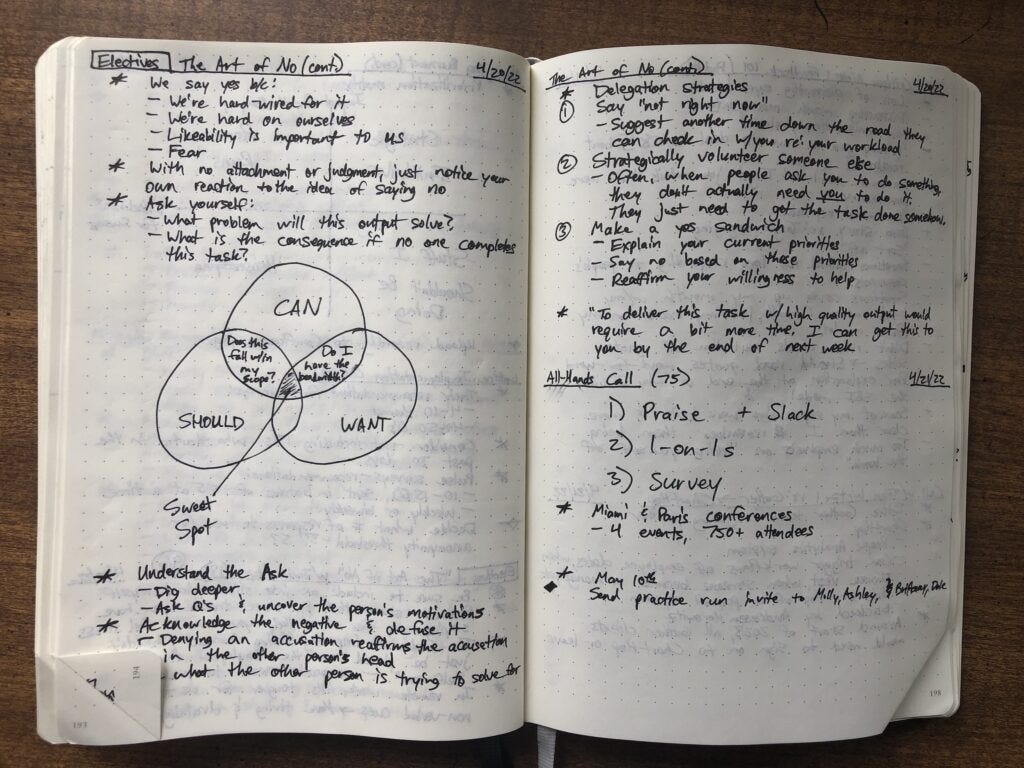
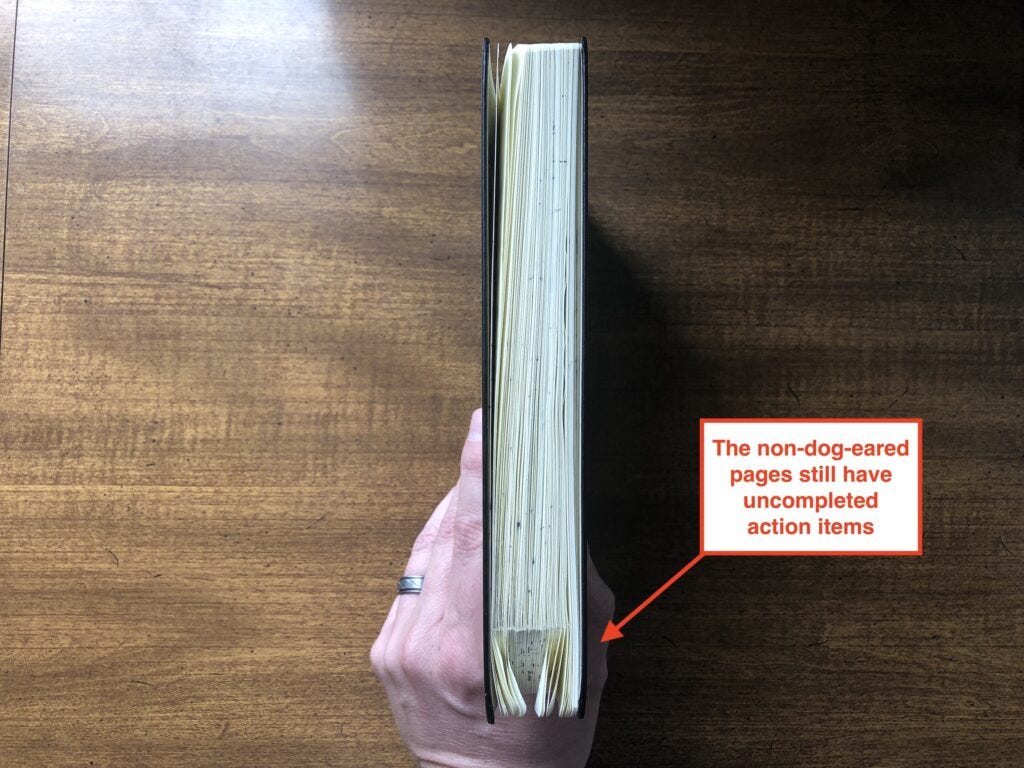
If you’re writing notes in a digital tool instead of a physical notebook (for example, I use a reMarkable paper tablet), you can do an equivalent version of this with tags. Just apply a “ToDo” tag to each page with outstanding tasks, then remove the tag once you’ve completed the tasks on that page.
4. Include a date and topic at the top of every page
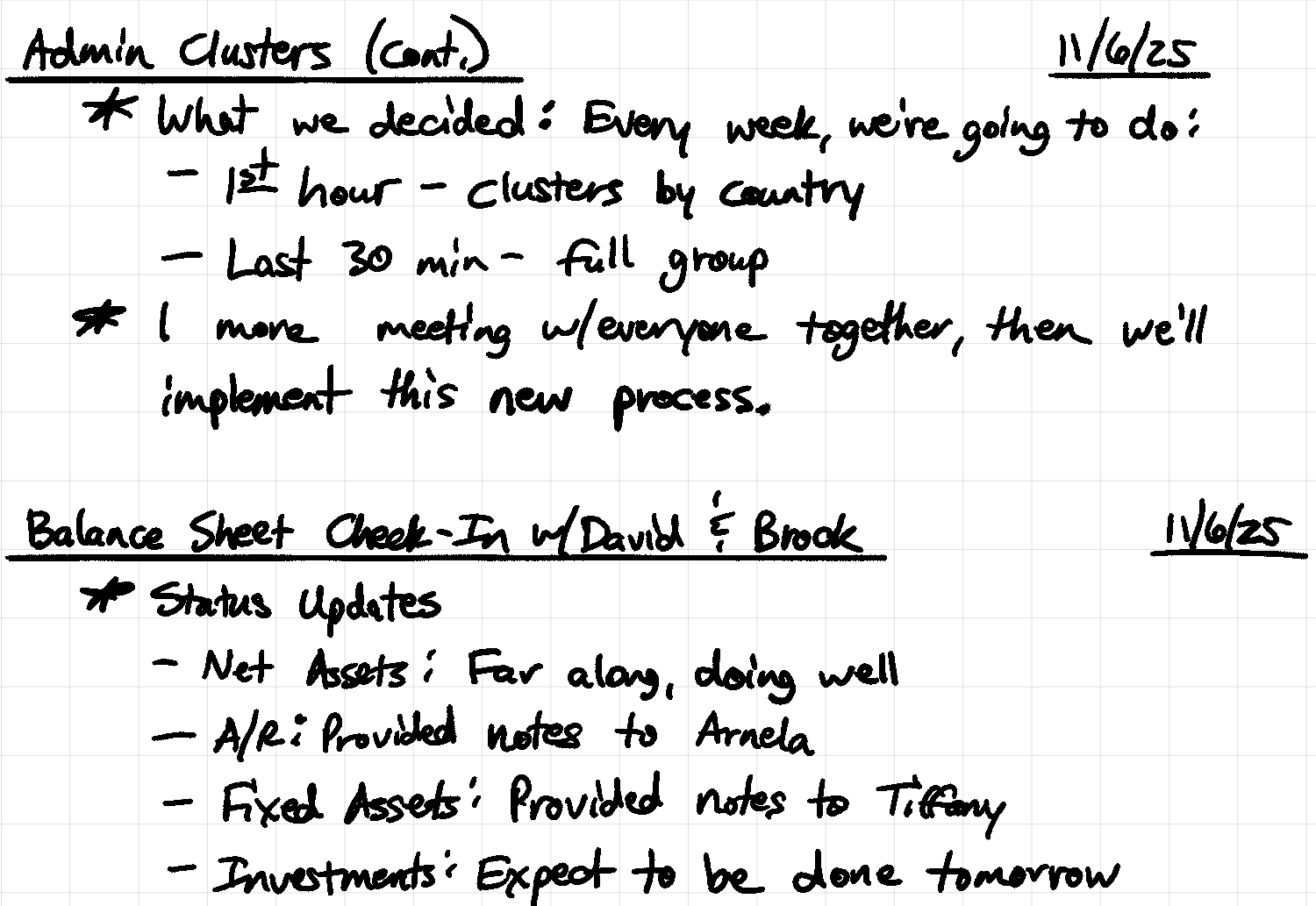
This is the simplest tip but also a very necessary one: begin every entry with a date and topic. This information will help you quickly find notes later.
I keep separate notebooks for work notes versus personal notes (like my journal), and I do this same process for all of my note-taking.
Whenever an entry carries over onto an additional page, I carry over the topic/title on the top of the next page and add “Cont” (for continued). Here’s a quick peek, showing a topic that has continued onto a second page:
5. Create additional symbols for other common notes
I’ve learned that some types of notes show up frequently enough in my notebooks that they deserve their own symbol or signifier to help me find them easily.
We’ve already discussed this for action items, but it’s also helpful to create signifiers for common notes like big-picture ideas, lessons learned, words/topics to look up later, etc.
I use a bunch of these symbols because I’ve found them to be a useful way to quickly track down specific things. Here are the symbols I use:
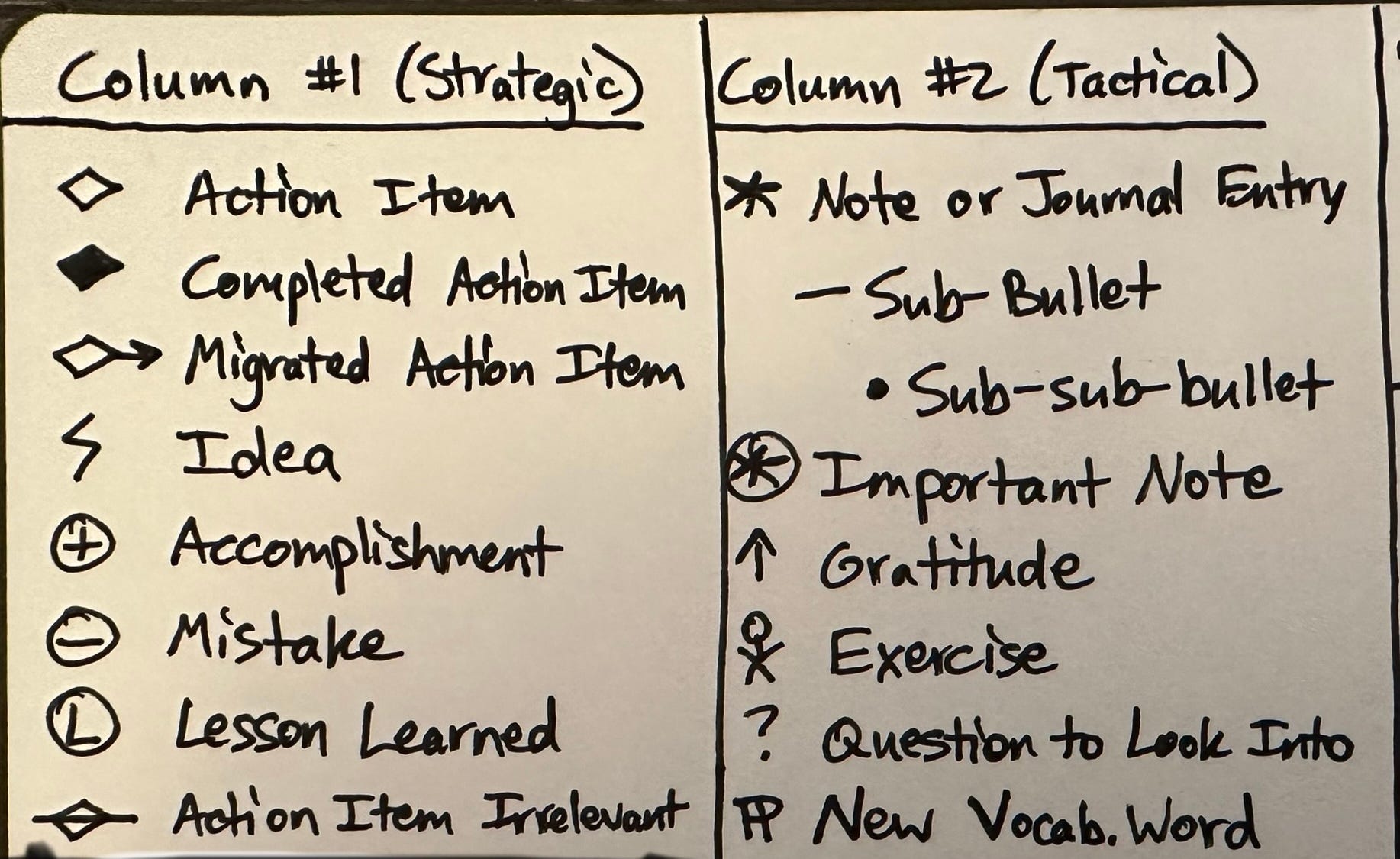
Pro Tip: As I mentioned above, I do Bullet Journaling, which typically depends upon using a notebook with columns or grids. I reserve the far-left column of my notes for listing the symbols of my strategic notes (e.g., big-picture ideas, projects, lessons learned) and use the second column for tactical notes (e.g., daily minutiae, gratitudes, new vocabulary words).
You don’t need to understand what all this stuff means. These signifiers are meant for me—not you. The general principle here is that it’s helpful to create symbols for the various types of entries you plan to write because those symbols can help you find info faster later.
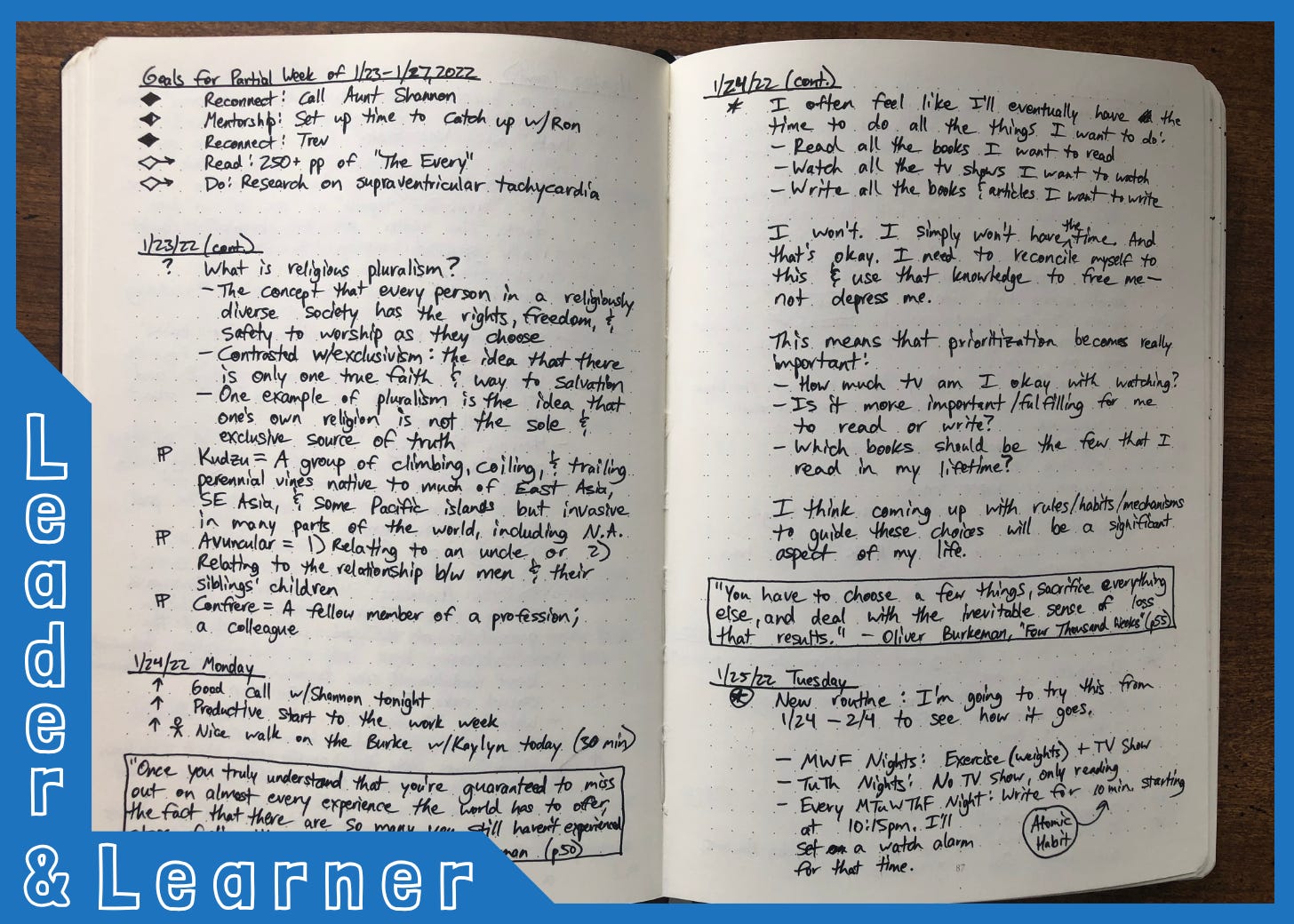
Here’s what these symbols look like in action:
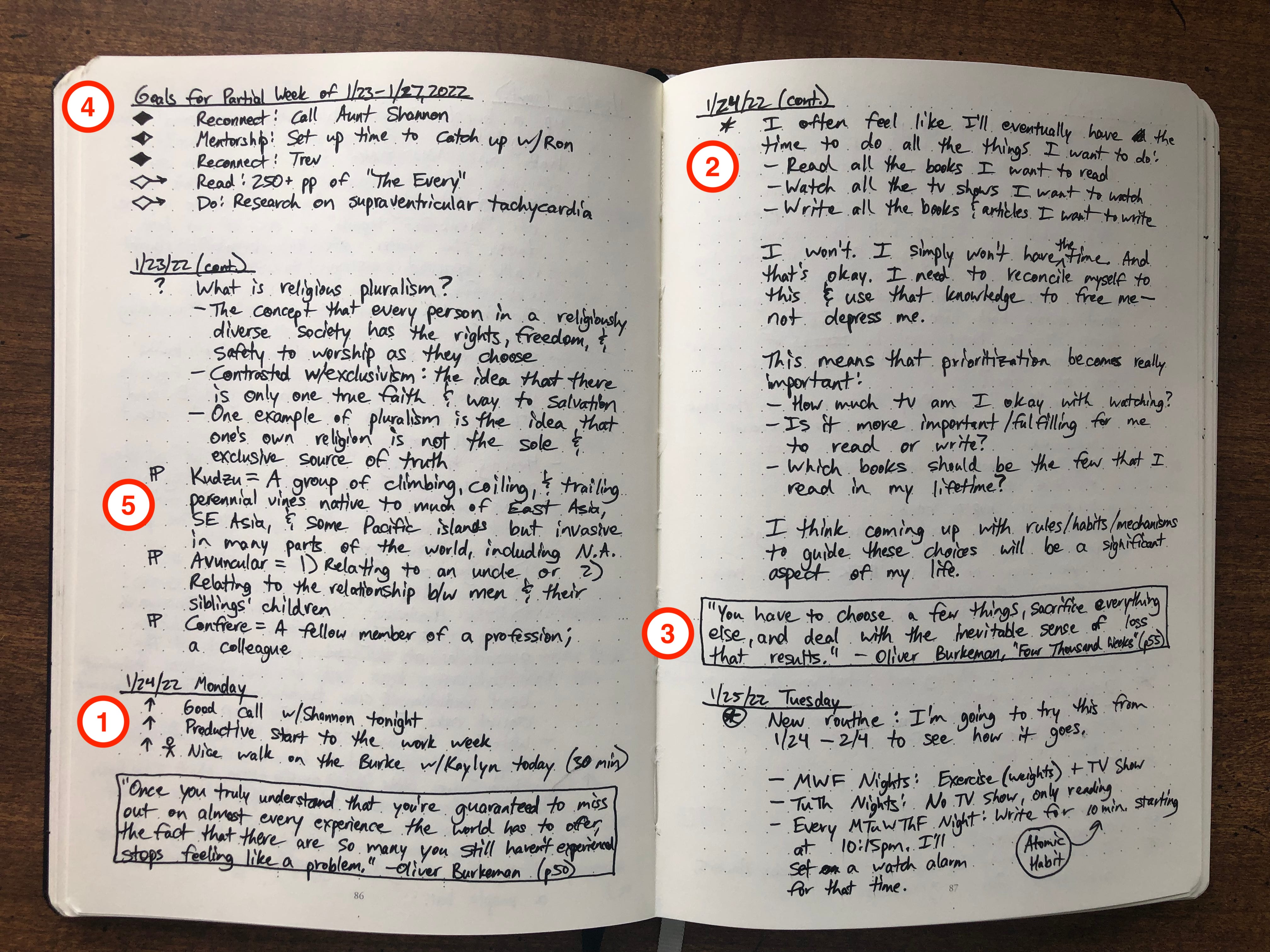
There’s a lot going on here, and you don’t have to pay attention to most of it. I’ll just call your attention to the five numbered sections:
Beginning of a New Entry: In the lower-left corner, you’ll see a headline that says “1/24/22 Monday.” That’s the format I use to begin each day’s note in my journal. I try to start most journal entries with three gratitudes, signified by the up arrows. You’ll also see a little stick figure, which is my symbol for exercise.
Standard Note: In the upper-right part of the page, you’ll see a basic note. Use bullets and sub-bullets to help you order information. (For example, I use an asterisk as my top-level note and a dash as my sub-level note.)
Quotes: I love quotes, so I pepper them throughout my notes. The quotes you can see in the picture are from the book I was reading at the time: One Thousand Weeks by Oliver Burkeman. (Btw, that book is excellent, so check it out!)
Weekly Goals: I often set personal goals for books to read, people to reconnect with, things to learn, etc.
Vocab Words: Lastly, in the middle of the left-hand page, you’ll see a weird symbol that looks like a backward pilcrow (¶). That’s the signifier I use to indicate new vocabulary words I stumble across when I’m reading.
The key here isn’t to blindly copy my method, but to find a method that works for you.
Maybe you think it’s ridiculous to create a symbol for vocabulary words, but you find yourself frequently writing notes about your workout regimen, diet, quarterly goals, work deadlines, or details about a specific client. Consider creating a symbol to designate whatever types of notes you jot down most often.
I hope you’ve enjoyed this super-nerdy jaunt into the world of handwritten notes.
I’m always interested in hearing others’ ideas so I can test them in my own notes, so drop a comment below if you have a helpful note-taking tip to share!
👉 Want to receive two posts per week with book recs and personal development tips? I’d be honored for you to subscribe to Leader & Learner.
📣 Community Updates by Glasp
🟥 Glasp Talk with Bobby Powers:
Glasp Talk features intimate interviews with luminaries, revealing their emotions, experiences, and stories. The guest, Bobby Powers, is a dedicated learner passionate about leadership and personal development. With over a decade of experience managing teams, leading onboarding, and Learning and Development programs at various startups and SMBs, Bobby is also an avid reader, having read over a thousand books in the last 15 years.
✨ Want a concise summary before diving in? Install the YouTube Summary with ChatGPT extension by Glasp for instant video summaries!

🟦 Kindle Highlights Milestone:
Glasp users have now imported over 84,000 Kindle highlights. Japanese, Spanish, German, French and Portuguese clipping formats work too. Bring your own library in here.
👉 Download Highlights and Notes from Kindle🟨 YouTube Channel Tracking:
Over 4,300 YouTube channels are now being tracked on Glasp, so you never miss a new video worth highlighting. Start tracking here.
🟩 95,000+ Audio Files Transcribed:
Our Audio Transcriber has now processed over 95,000 audio files. We’re excited to see how the community is using Glasp to capture insights from conversations, lectures, and recordings.
Would you like to take Glasp on the go?
With the Glasp mobile app, you can highlight and organize your favorite content anytime, anywhere. Stay productive on the move and never miss an insightful quote.
Partner With Glasp
We currently offer newsletter sponsorships. If you have a product, event, or service you’d like to share with our community of learning enthusiasts, sponsor an edition of our newsletter to reach engaged readers.